
The Ultimate Step-by-Step Guide to Auditing a Website
Auditing a website is the foundation of successful SEO. Whether you are analyzing an existing site or starting from scratch, a structured audit reveals what is working, what is broken, and what you must fix to improve performance. This guide walks you through every critical step, from technical SEO and content optimization to backlinks, schema, and local SEO, with practical instructions anyone can follow.
Step 1: Start with a Full Crawl Using Screaming Frog or Similar Tools
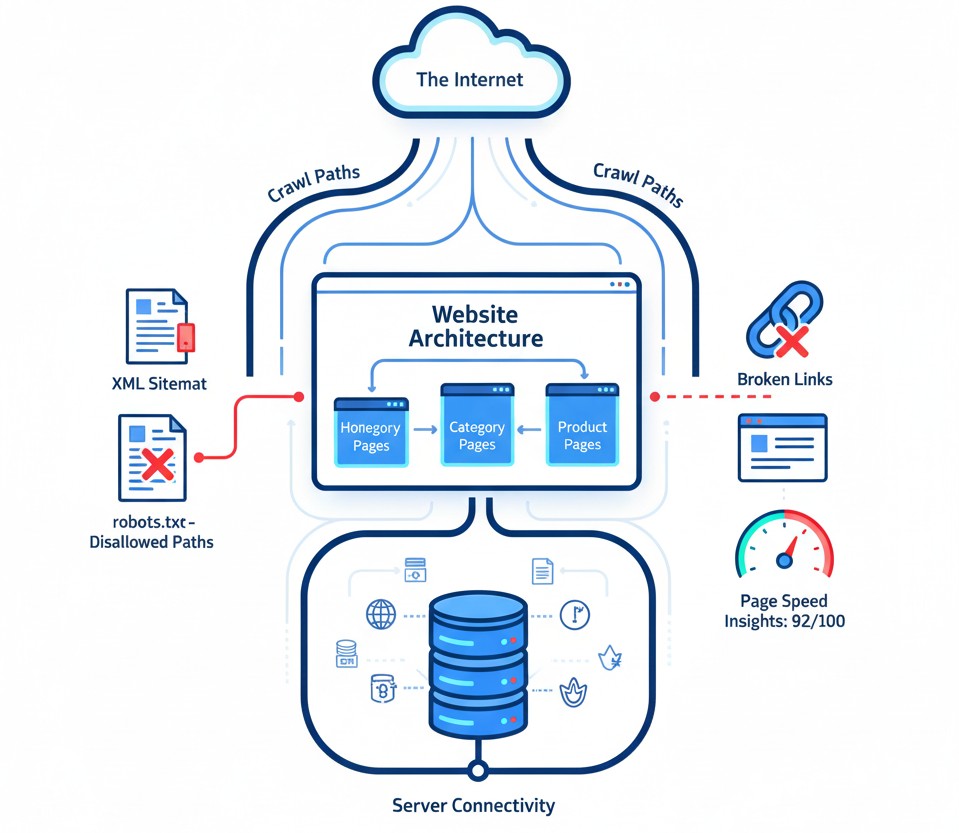
Before you optimize anything, crawl the entire website. A crawler gives you a complete technical and on-page breakdown.
Recommended Tools:
Key checks in the crawl report:
- Missing or duplicate title tags
- Missing or duplicate meta descriptions
- Low wordcount pages
- Broken links (404s)
- Redirect chains (301 vs 302)
- Canonical tag issues
- Missing image alt text
- Slow-loading pages
- Header structure (H1, H2, H3)
- Indexable vs non-indexable pages
- Response status codes (200, 301, 404, 500)
- Schema detection (if implemented)
A crawl gives you a live map of what is going on behind the scenes.
Step 2: Technical SEO Audit
Technical SEO ensures that search engines can access, crawl, and understand your website.
Core Technical Checks:
1. Indexability
- Inspect robots.txt to ensure important pages are not blocked.
- Submit an XML sitemap in Google Search Console.
- Review noindex tags and canonical URLs.
2. Page Speed
- Target LCP (Largest Contentful Paint) under 2.5 seconds.
- Compress images.
- Enable caching.
- Use lazy loading.
- Minify CSS and JavaScript.
3. Mobile Optimization
- Responsive design on all devices.
- Check tap-target spacing.
- Fix any layout shifts.
4. Security
- Ensure HTTPS is active on all pages.
- Eliminate mixed-content warnings.
5. Structured Data (Schema Markup)
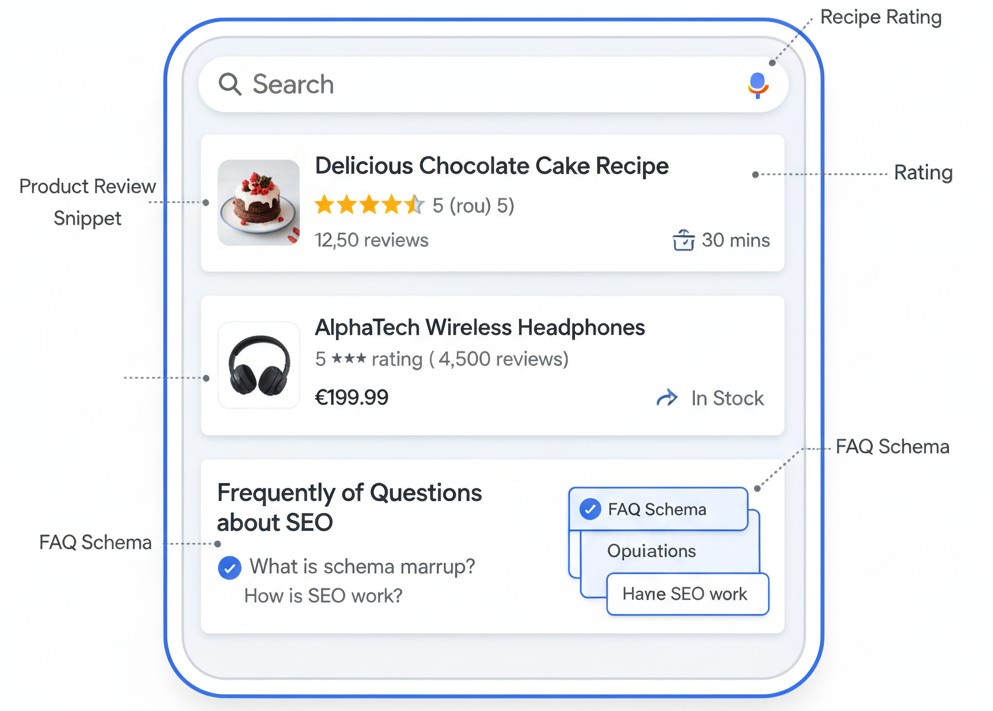
Schema helps search engines understand your content and can improve visibility through rich results.
Add appropriate schema:
- Article schema for blog pages
- FAQ schema for question-based content
- Review schema for ratings
- Product schema for eCommerce
- Local Business schema for local SEO
How schema helps:
- Enables star ratings in search results
- Improves click-through rate
- Adds extra information under your search snippet
- Supports better local ranking
Step 3: On-Page SEO Audit
This focuses on content structure, keywords, and user experience.
1. Meta Titles
- Keep under 60 characters.
- Place the main keyword naturally.
2. Meta Descriptions
- Keep between 120 and 160 characters.
- Include a long-tail keyword.
- Write it like an ad copy.
3. Headings (H1, H2, H3)
- Use only one H1 per page.
- Use H2s to organize sections.
- Include related keywords naturally.
4. Wordcount Analysis
- Compare with competitors ranking on page one.
- Expand thin content.
- Add detailed sections, examples, and FAQs.
5. Internal Linking
- Link to relevant pages using descriptive anchor text.
- Avoid orphan pages.
6. Image Optimization
- Use alt tags.
- Compress images.
- Use correct dimensions.
Step 4: Keyword Density and Keyword Strategy Audit
Keyword usage is essential, but overusing terms harms ranking.
Keyword Density:
- Maintain keyword density between 0.5% and 2%.
- Avoid stuffing the main keyword repeatedly.
Longtail Keywords:
Longtail keywords are lower competition and higher intent.
How to find longtail keywords:
- Google Search Console queries
- People Also Ask
- Competitor H2 and H3 headings
- Keyword research tools like AnswerThePublic or Ubersuggest
How to Check Page Speed on
- Open your browser and go to:
PageSpeed.net - On the homepage, you will see a search bar that says “Enter URL.”
- Type your website URL (for example:
https://yourwebsite.com). - Click on the “Analyze” button.
- Wait a few seconds while the tool scans your website.
- Once the scan is complete, you will see two separate scores:
- Mobile Speed Score
- Desktop Speed Score
- Scroll down to view detailed reports:
- Loading time
- Largest Contentful Paint (LCP)
- First Contentful Paint (FCP)
- Suggestions to improve speed
- Note down both scores and the recommendations.
These are the issues you will fix during the audit.
Step 5: Local SEO Audit (Google My Business)
Local SEO is essential for service businesses, clinics, institutes, real estate, gyms, restaurants, and local service areas.
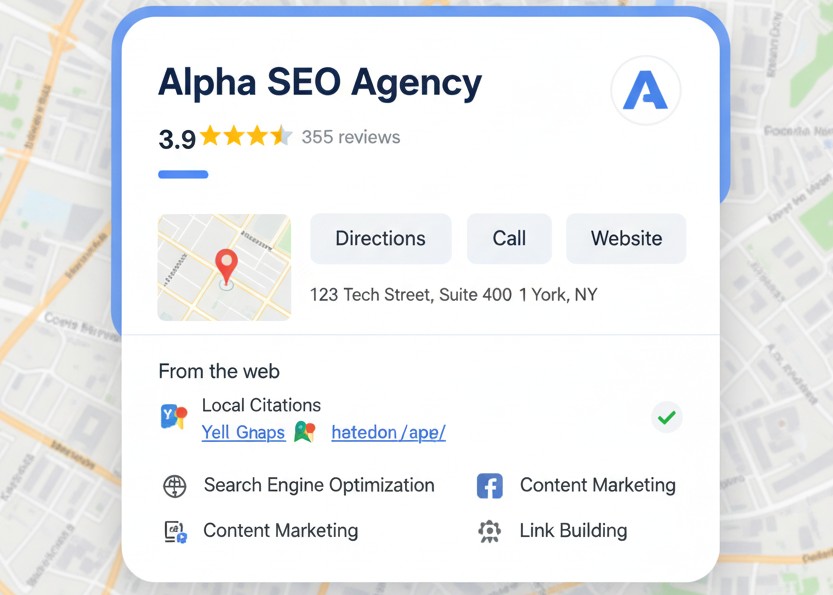
What to check in GMB:
- Complete business profile
- Add correct categories
- Add business services and descriptions
- Upload fresh photos regularly
- Maintain NAP consistency
- Collect reviews
- Respond to reviews quickly
Tips to rank higher in GMB:
- Post weekly updates
- Add Local Business schema on your website
- Use geo-tagged images
- Build citations on local directories such as JustDial, Sulekha, IndiaMart, Yelp
- Maintain consistent business information across all platforms
Step 6: Off-Page SEO Audit
Backlinks are a major ranking factor.
What to check:
- Number of backlinks
- Referring domains
- Dofollow vs Nofollow ratio
- Toxic backlinks
- Anchor text distribution
Recommended Tools:
- Ahrefs
- Semrush
- Google Search Console
Handling bad backlinks:
- Request removal from the site owner
- If removal fails, use Google Disavow tool
Step 7: Competitor Analysis
Competitors reveal what works in your industry.
Analyze:
- Meta titles
- Meta descriptions
- H1 and H2 structure
- Wordcount
- Schema usage
- Backlinks
- Page layout
- Keyword clusters
- Content quality
- FAQs and question-based content
How to extract competitor keywords:
- Search your main seed keyword
- Study the top 5 results
- Identify:
- Their primary keyword
- Related longtails
- Question keywords
This helps you build a strong content strategy.
Step 8: Track and Measure Growth
SEO is not one-time work. You must track results consistently.
Important metrics:
- Impressions
- Clicks
- Average position
- CTR
- Bounce rate
- Backlink growth
- Page speed improvements
Keyword tracking:
- Track your top 10 to 20 keywords weekly.
- Use tools like Ahrefs, Semrush, Mangools, or Ubersuggest.
Maintain a change log:
URL | Issue | Fix Applied | Date | Status after 30 days
Step 9: If the Website Is New
For a new website, follow these priorities:
- Fix all technical issues
- Submit sitemap to Google
- Set up Search Console and Analytics
- Publish key pages: Home, About, Services, Contact
- Write and optimize 3 to 5 long-form blogs
- Add Local Business schema
- Build initial backlinks through citations
- Start posting on GMB
Bonus: Extra Checks Most People Miss
- Duplicate content across pages
- Consistent typography and readability
- Clear call-to-action on every page
- Page layout above the fold
- Social media consistency
- Author bio credibility
- Updated privacy policy and terms pages
Final Checklist (Copy and Use)
Technical
- Robots.txt
- Sitemap.xml
- Canonical checks
- Mobile responsive
- Page speed
- SSL
- Schema implemented
On-Page
- Title tags
- Meta descriptions
- H1, H2 setup
- Internal links
- Content quality
- Keyword density
- Alt texts
- Wordcount
Off-Page
- Backlink audit
- Anchor text review
- Dofollow vs nofollow ratio
- Toxic links removal
Local SEO
- GMB optimization
- Local citations
- NAP consistency
- Local schema